
Digital Paint Playground
Runs in your browser — no download.
Reviews
Digital Paint Playground succeeds by keeping things simple. The interface is clean and responsive, allowing even very young children to start coloring immediately. The lack of timers or scoring removes any stress, making it an ideal activity for relaxation. The variety of pictures, from vehicles to musical instruments, keeps the experience fresh. Parents will appreciate the safe, ad-free environment and the ability to save artwork. It is a well-designed digital art tool that encourages creativity without overcomplicating the process.
Description
Simple Start, Endless Possibilities
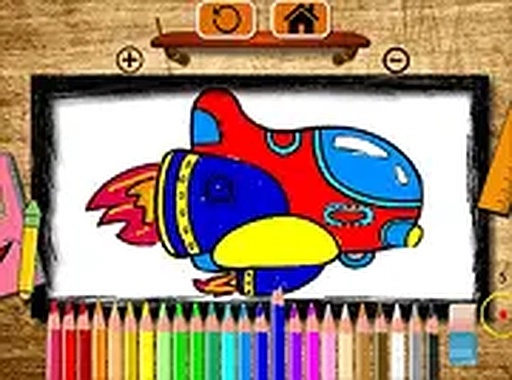
Digital Paint Playground offers a straightforward way for young users to engage with art. Upon loading the page, players see a selection of outlined drawings. These include common objects like a bicycle, a drum, and a rocket. Choosing one brings up a clean workspace with a color palette on the side. The interface uses large, clearly labeled buttons, making it easy for small hands to navigate on a touchscreen or with a mouse. There is no text-heavy menu or complicated setup, so even pre-readers can begin their activity without assistance.
Freedom to Experiment
The core experience revolves around choice. Players can tap or click any section of the drawing to fill it with the currently selected color. Changing colors is as simple as picking a new one from the palette. This immediate feedback loop encourages experimentation. A child might try a blue car or a pink rocket, learning how different hues interact. Because there are no wrong answers, the activity promotes a relaxed atmosphere where mistakes are just opportunities to try a new combination. This open-ended approach helps build confidence in making creative decisions.
Designed for Young Hands
Every element of Digital Paint Playground is built with young users in mind. The color swatches are large enough to tap accurately, and the drawing areas are clearly separated to prevent accidental fills. The game runs smoothly in standard web browsers without requiring any plugins or software installation. This compatibility means it works on a wide range of devices, from older desktop computers to the latest tablets. Parents appreciate that the activity is self-contained and does not lead to external websites or require in-app purchases.
Sharing the Finished Work
Once a picture is complete, players have the option to save their creation. The game provides a simple way to store the image locally or share it with family members. This feature turns a solitary activity into a social one, as children can show off their colorful vehicles or musical instruments. The act of sharing also reinforces a sense of accomplishment. Knowing that their work can be seen by others may motivate young artists to try more elaborate color schemes or pay closer attention to detail.








03 Comments
Sign in to comment
You must be logged in before posting a review or rating.
No account? Create one
No comments yet. Be the first to comment!