
Calm Canvas: Creative Coloring Studio
Developer: Aluminum Weaver Works
Published: 2026-07-20
Updated: 2026-07-20
Runs in your browser — no download.
Reviews
Calm Canvas succeeds by removing all pressure from the coloring process. The library of pages is diverse, offering both simple and intricate designs. The tools are intuitive, and the ability to undo any stroke encourages playful experimentation. It is a well-crafted space for anyone seeking a quiet, creative outlet without the need for artistic skill.
Description
Finding Your Creative Flow
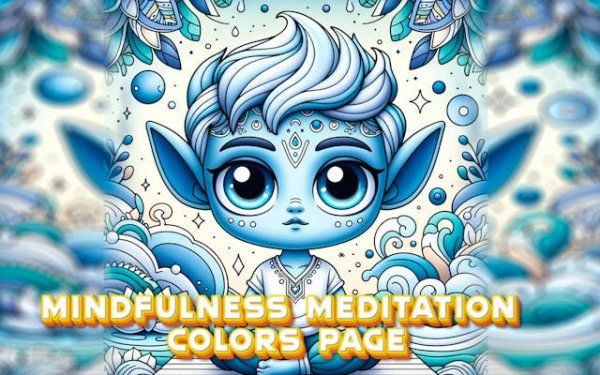
Calm Canvas is built around the simple pleasure of adding color to pre-made illustrations. The experience is deliberately unstructured. You start by browsing a library of line art, which includes everything from geometric patterns to gentle landscapes. Once you find a page that appeals to you, the real work begins: choosing which colors to apply and where. There is no single correct path. You might decide to use realistic shades for a tree, or you might prefer a rainbow palette. The freedom to experiment without consequences is a core part of the appeal.Tools for Gentle Precision
The application provides a straightforward set of tools that support both broad strokes and fine detail. A wide brush covers large sections quickly, while a narrow tip is better for staying inside intricate borders. A fill option instantly colors an enclosed area, which is helpful for backgrounds or repetitive shapes. The color palette is extensive, offering hundreds of shades. You can save your work at any point and return to it later. The interface is clean and uncluttered, with all options placed on the side so they do not interfere with your drawing.A Gallery of Possibilities
The collection of coloring pages is varied enough to suit different moods. Some designs are simple, with large open spaces that are ideal for quick sessions. Others are highly detailed, requiring patience and a steady hand. Nature themes are common, featuring flowers, leaves, and animals. Abstract mandalas provide a repetitive, meditative quality. The game does not force you to complete a page in one sitting. You can start several projects and switch between them as your interest shifts. This flexibility makes it easy to fit a short coloring break into a busy day.Creating Without Pressure
A key design choice is the absence of any scoring, timing, or performance metrics. There is no reward for finishing quickly, and no penalty for making changes. Every stroke can be undone with a single tap, encouraging experimentation. The focus remains on the act of coloring itself, not on the final product. This approach makes the game accessible to people who may not consider themselves artistic. The process is meant to be calming, and the lack of external pressure supports that goal. Players are free to color for five minutes or an hour, depending on their schedule and mood.Compatibility
This H5 game runs smoothly on:
• Desktop computers (Windows / Mac) • Mobile phones (iPhone / Android)
• Tablets (iPad / Android)
🌐 Best experienced with Chrome, Safari, or Edge
FAQ
Can I save my coloring progress in Calm Canvas?
Yes, the game automatically saves your work as you go. You can also manually save different versions of the same page, allowing you to try multiple color schemes without losing your original design.
Is Calm Canvas suitable for children?
The game is designed for all ages. The simple controls and lack of time limits make it easy for younger players to enjoy, while the detailed pages offer enough complexity to engage older users. No reading is required to start coloring.
Do I need any special equipment to play Calm Canvas?
No special equipment is needed. The game works with standard touch controls on phones and tablets, and can also be played with a mouse on a computer. The interface adapts to different screen sizes.
How many coloring pages are available in Calm Canvas?
The game includes a large selection of pages that covers various themes such as nature, patterns, and abstract designs. The exact number may vary by version, but there is enough content to provide many hours of coloring.
Can I share my finished artwork from Calm Canvas?
Yes, you can export your completed pages as image files. This allows you to share them with friends or save them to your device. The game does not include any social sharing features directly.
Does Calm Canvas offer any hints or guides for choosing colors?
The game provides a color hint feature that suggests complementary shades for the area you are working on. This can be helpful if you are unsure which colors to use, but it is optional and can be turned off.




03 Comments
Sign in to comment
You must be logged in before posting a review or rating.
No account? Create one
No comments yet. Be the first to comment!