← Back to Games
Bakery Decor Studio

Bakery Decor Studio

Developer: Mountainfall Studios
Published: 2024-02-24
Updated: 2026-06-26
Advertisement

Reviews

Bakery Decor Studio offers a calming and creative experience for players who enjoy interior design. The ability to decorate three distinct areas provides variety, and the simple drag-and-drop controls make it accessible for all ages. The option to share screenshots adds a social element without pressure.

Description

Game Introduction

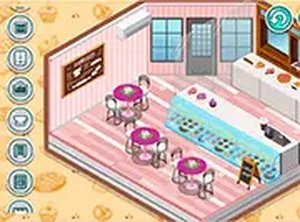
Bakery Decor Studio is a creative online game from the Decor series. Players design and decorate three areas of a bakery: the baker's personal room, the counter where pastries are served, and the dining space for customers. The game offers a wide selection of furniture and decorative items to arrange. There are no time limits or complex rules, making it a stress-free experience. Players can take a screenshot of their finished design and share it on their profile for others to see. This game is ideal for those who love interior design, baking themes, and casual creativity.

How to Play

To play, use your mouse or touchscreen to browse the available furniture and decorations. Select an item and drag it to the desired location in the baker's room, counter area, or dining space. You can move and rearrange items as many times as you like until you are satisfied with the layout. Once your design is complete, use the screenshot feature to save and share your work. The controls are simple and intuitive, suitable for players of all ages.

Game Features

Features include: creative bakery decorating with three distinct areas to design. Players can share screenshots of their work on their profile. The game requires no downloads and runs directly in the browser. It is family-friendly and suitable for all ages. The interface is clean and easy to navigate.

Tips for Success

To get the most out of your decorating experience, take your time exploring all the available furniture and decorations. Experiment with different arrangements and color combinations to create a cohesive look. Don't be afraid to rearrange items multiple times until you are happy with the result. Use the screenshot feature to capture your favorite designs and share them for inspiration. Most importantly, enjoy the creative process without pressure.


✅ Compatibility & Testing

• Desktop (Windows 11, macOS Ventura)
• Mobile (iPhone 14, Samsung Galaxy S23)
• Tablet (iPad Pro, Android tablet)
✅Supported browsers: Chrome, Safari, Edge, Firefox (latest versions)
❌ Not supported: Internet Explorer, older browser versions
Faq
Can I play Bakery Decor Studio on my phone?
Yes, Bakery Decor Studio is designed to work in a browser on both desktop and mobile devices. The touchscreen controls make it easy to drag and drop items on tablets and phones.
Is there a cost to play Bakery Decor Studio?
Bakery Decor Studio is free to play online. There are no hidden fees or subscriptions required. You can enjoy all the decorating features without spending any money.
How many furniture items are available in Bakery Decor Studio?
The game includes a wide selection of furniture and decorative items. While the exact number may vary, you will have many options to choose from for each of the three areas.
Can I save my designs and come back later?
Yes, your designs are saved automatically as you play. You can leave the game and return later to continue decorating or make changes to your bakery layout.
Is Bakery Decor Studio suitable for young children?
Yes, the game is family-friendly and suitable for all ages. The controls are simple, and there are no time limits or complex rules, making it a relaxing experience for children.
Can I share my bakery design with friends?
Yes, you can take a screenshot of your finished design and share it on your profile for others to see. This allows you to show off your creativity and get inspiration from others.