← Back to Games
Roadster Slide Puzzle Game

Roadster Slide Puzzle Game

Developer: Spaceage Studio
Published: 2024-06-15
Updated: 2026-06-12
Advertisement

Reviews

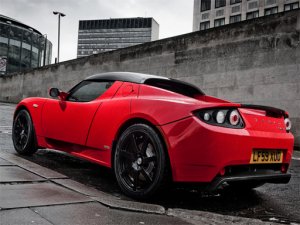
Tesla Roadster Slide Puzzle Game delivers a polished puzzle experience. The three images of the Roadster are clear and attractive. The 3x3 mode is quick and satisfying, while the 5x5 mode provides a genuine challenge. The move counter adds replayability as you try to beat your own record. The game loads fast and works without glitches on mobile and desktop. It is a solid choice for casual puzzle fans who enjoy car themes.

Description

Game Introduction

Tesla Roadster Slide Puzzle Game combines the sleek design of the Tesla Roadster with classic sliding puzzle mechanics. Players can choose from three high-quality images of the iconic electric sports car. The game offers three difficulty modes: a 3x3 grid for beginners, a 4x4 grid for a moderate challenge, and a 5x5 grid for puzzle experts. Each mode scrambles the image into movable tiles. The goal is to slide tiles into the correct order to recreate the original picture. This game is family-friendly, easy to understand, and works directly in your browser without any downloads. It is perfect for car enthusiasts and puzzle lovers alike, providing a calm yet engaging experience for quick breaks or longer sessions.

How to Play

To play, start by selecting one of the three Tesla Roadster images. Then choose your difficulty level: 3x3, 4x4, or 5x5. The puzzle board will display a scrambled image. Click or tap on any tile that is next to the empty space to slide it into that space. Continue moving tiles until the full image is restored. The game tracks your total moves, encouraging you to solve the puzzle efficiently. The controls are intuitive and responsive on both desktop and mobile devices. No registration or download is needed. Simply load the page and start sliding.

Game Features

Three beautiful Tesla Roadster images to complete. Three difficulty levels: 3x3, 4x4, and 5x5 grids. Move counter to track your performance. Works on desktop and mobile browsers. No downloads or sign-ups required. Family-friendly content suitable for all ages.

Tips for Success

Start with the 3x3 grid to learn the sliding mechanics before moving to larger puzzles. Focus on solving one row or column at a time. Use the empty space strategically to maneuver tiles into position. Practice regularly to improve your speed and efficiency. For larger grids, try to complete the top row first, then the next, working your way down.
Compatibility

This H5 game runs smoothly on:
• Desktop computers (Windows / Mac) • Mobile phones (iPhone / Android)
• Tablets (iPad / Android)
🌐 Best experienced with Chrome, Safari, or Edge
Faq
Is this game free to play?
Yes, the game is free to play directly in your browser. There are no hidden costs, in-app purchases, or subscription fees. Simply load the page and start playing without any payment required.
Can I play on my phone or tablet?
Yes, the game is designed to work on both desktop and mobile browsers. The touch controls are responsive on smartphones and tablets, allowing you to slide tiles with your finger just as easily as with a mouse.
Do I need to create an account or sign up?
No account or sign-up is needed. The game runs entirely in your browser with no registration required. You can start playing immediately without providing any personal information.
What happens if I get stuck on a puzzle?
If you get stuck, you can restart the puzzle by selecting the same image and difficulty level again. There is no penalty for restarting, and it can help you approach the puzzle with a fresh perspective.
Are there any time limits or pressure?
No, there are no time limits. The game only tracks your total moves, so you can take as much time as you need. This makes it a relaxing, stress-free puzzle experience suitable for all ages.
Can I choose the same image for different difficulty levels?
Yes, you can select any of the three Tesla Roadster images for any of the three difficulty levels (3x3, 4x4, or 5x5). This allows you to practice the same image at progressively harder grid sizes.